Customer portal and website: your customers see orders, invoices and certificates themselves
We build the protected area in which your customers look up their own orders, download invoices and certificates automatically and place new orders – connected to the ERP you already run. Plus the public website in front of it, which turns visitors into enquiries. Live in weeks, hosted in Europe, maintained by your own team.
Talk to us about your portalWhat changes in your day-to-day business
Not a feature list – the things our customers notice in the first weeks after go-live.
Fewer status calls
Customers look up delivery dates, order status and open items themselves. The same question stops arriving ten times a day, and your office gets its mornings back.
Invoices are delivered automatically
As soon as an order is closed, the invoice appears in that customer’s portal – as a PDF and as a record. Nobody attaches it to an email, nobody asks for a copy, and no invoice gets lost in a spam folder.
Certificates and proof appear on their own
Weighing slips, disposal certificates, test reports and inspection records are generated from the order and published in the portal automatically. Audit-proof, dated and available for years – without anyone scanning anything.
Live data instead of a second data set
The portal shows what is in your ERP: orders, stock, appointments, prices. Nothing is maintained twice, so nothing drifts apart.
Enquiries instead of visitors
Clear paths, plain language and forms people actually complete. We measure the website on the enquiries it produces, not on page views.
Your team edits it without us
Texts, prices, news and job ads are changed by your own colleagues. No ticket, no waiting and no hourly rate for a typo.
A look inside a portal that is already running
These screens come from the Circuflow customer portal, which we built and operate ourselves. Customer names and addresses are blurred.
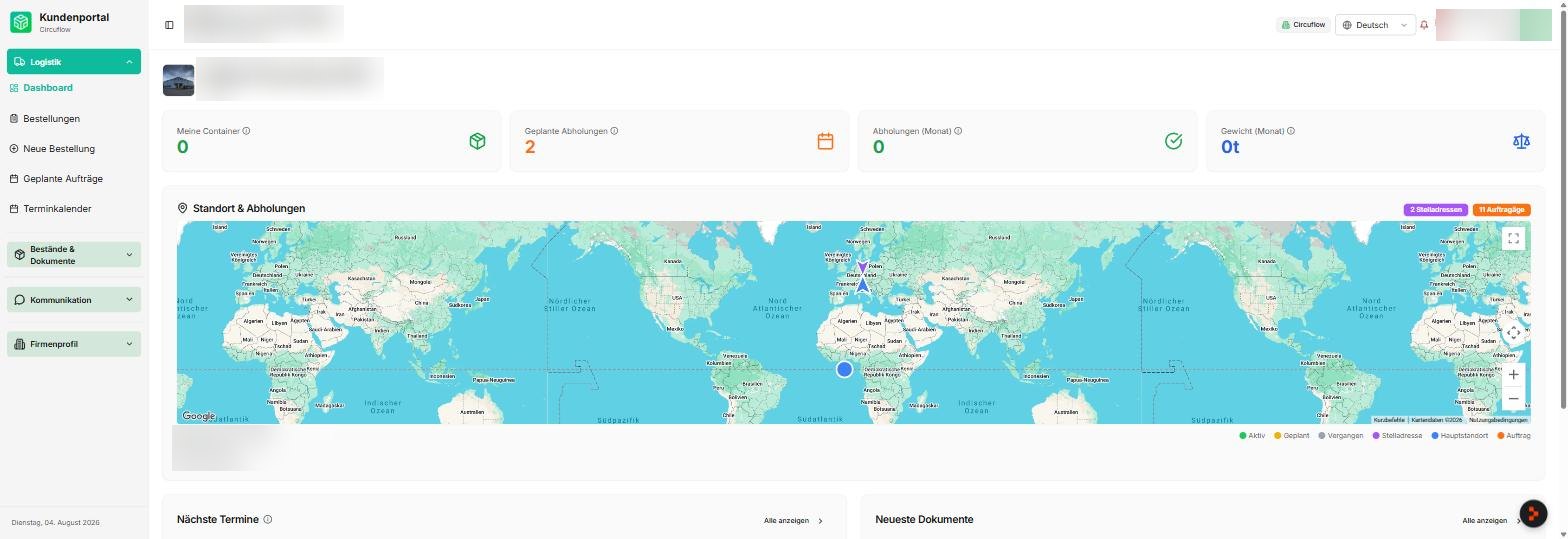
Everything open at a glance
The first screen answers the three questions your office is asked most often: what is running, when does it arrive, and what is still missing. The customer sees their own situation immediately – on a laptop in the office or on a phone in the yard.
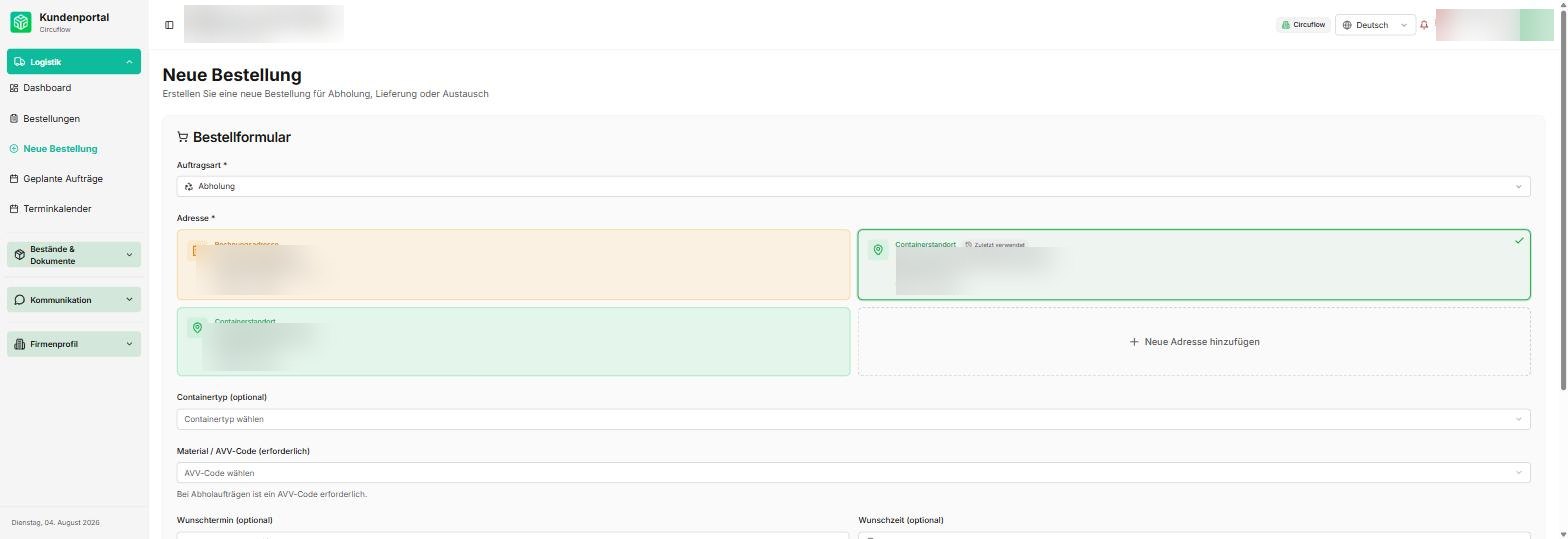
A new order in three steps, not one phone call
Customers order themselves, with the addresses, articles and dates already stored for them. What used to arrive as a scribbled email now lands in your system correctly the first time – and the confirmation goes out without anyone typing it.
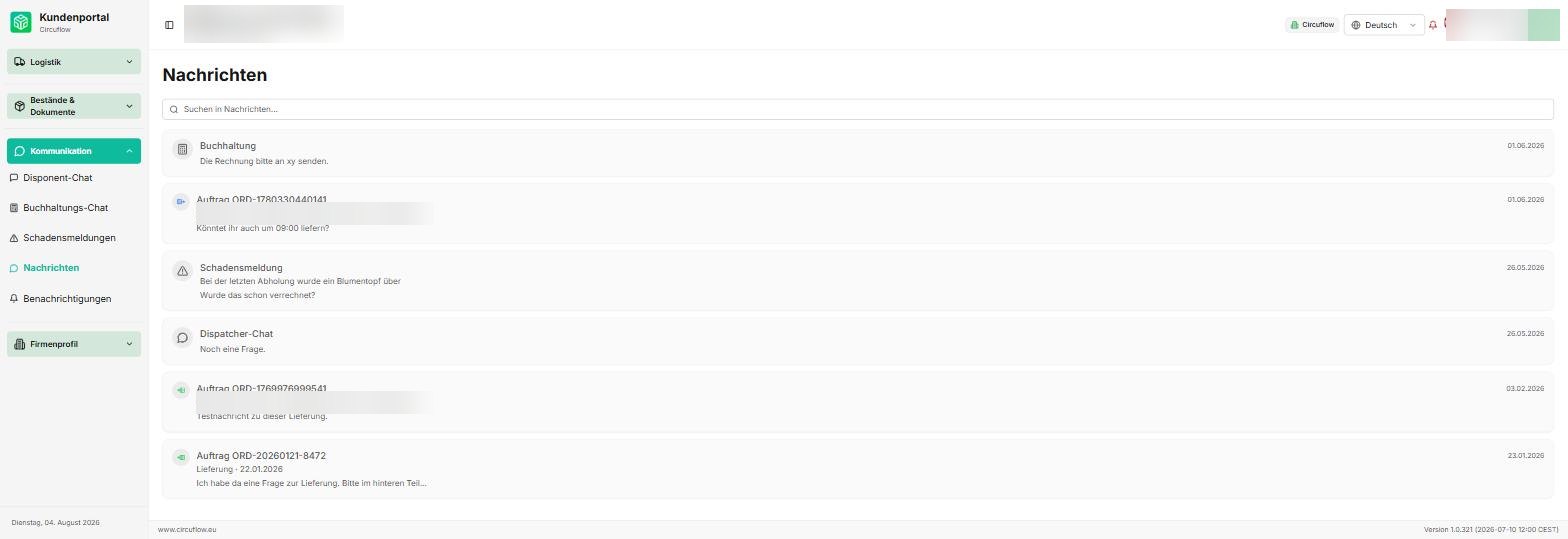
Questions stay attached to the order
A query no longer disappears into someone’s inbox. It sits next to the order together with the matching invoice and certificates, the whole team can see it, and nothing is lost when a colleague is on holiday.
Who works on it
Personally there for you
At PixelMechanics you speak with people who really know mid-sized businesses and Odoo – not an anonymous hotline.

"Outdated ERP systems manage the past and block the future. With Odoo we lead mid-sized businesses out of paper-based chaos into an AI-native organization – on an open Odoo foundation."
Michael Rohrmüller
CEO & Visionary

"I was a managing director myself for many years and know the pressure of day-to-day business. Today I am your contact – and show you honestly whether Odoo fits your operation. Without sales pressure."
Michael Bromberger
Sales · Your contact

"Software is only as good as its implementation. With over 20 years of experience, we make sure Odoo really lands in your team's everyday work – not just in the demo."
Sven Werner
Head of Consulting & AI Consulting
What we build it on
We choose the system that fits your case – not the one we happen to sell. Open source wherever it is sensible, so you keep control of your platform. And always designed for the phone first, because that is where most customers open a portal.
On top of your ERP
If the data already lives in Odoo, SAP or an in-house system, the portal sits directly on it. Customers see real orders, real invoices and real documents – not a copy that someone keeps in sync by hand.
As a website with WordPress, Joomla or Odoo
For the public part we use the system your team can actually operate. All three are open source, all three run on European hosting, and all three can be handed back to you at any time.
As an app for phone and tablet
Where customers or field staff need more than a browser, the same data goes into a mobile app. One data set, two front ends – nothing is maintained twice.
Show us the process that generates the most calls
Half an hour is usually enough to tell whether a portal pays off for you – and which function should come first. No slide deck, no obligation.
Arrange a conversation